

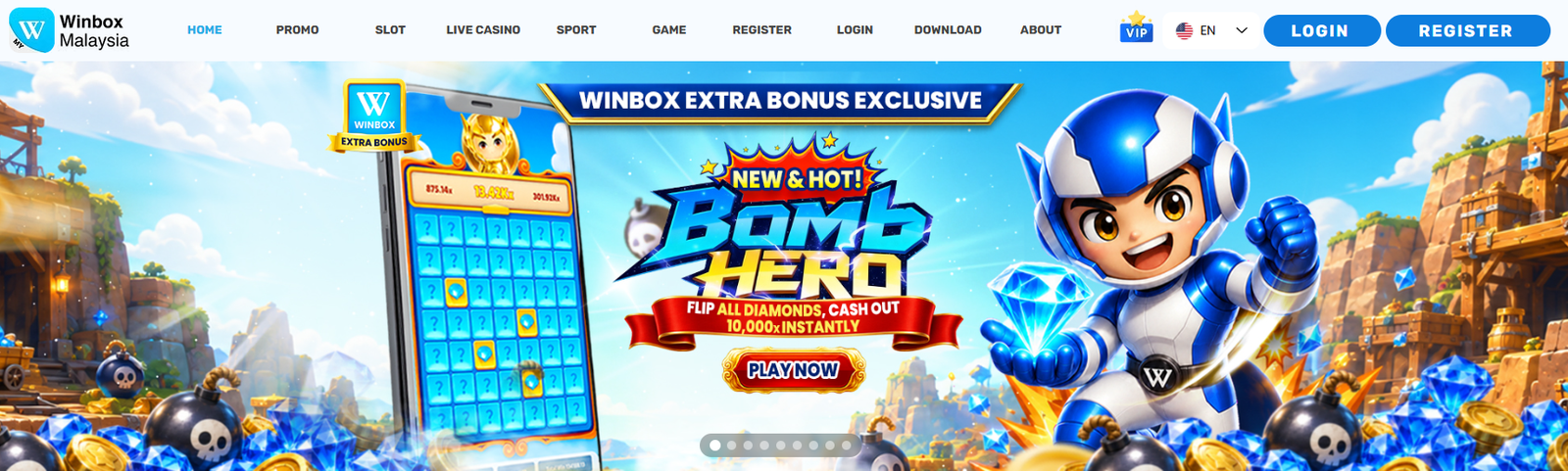
You visit a betting platform looking for one familiar slot or a live baccarat table. It sounds simple enough. But then the home screen loads: game tiles, provider logos, banners, sports markets, and several menu tabs, all competing for attention.
A few minutes later, you are still scrolling.
This is one of the less talked problems with large betting platforms. Hundreds of games sound very useful. But only if people can actually find what they want. Without way-too-clear navigation, a large library can quickly become a crowded list.
Winbox puts slots, live tables, sports markets, and other games in one place.
This review looks at how that betting content is arranged in normal use. The point is to see whether users can move through the catalogue without getting lost.
More Games Can Mean More Confusion
A platform with twenty games can get by with a basic menu. A multi-provider platform cannot.
The main difficulty is not always finding something to play. Almost any large library can put a game in front of a user. The harder task is helping that person find the right type of game without making several unnecessary stops along the way.
Someone looking for a low-limit live table does not need to scroll past slot releases. A person returning to a familiar provider probably does not want to browse the entire casino lobby again.
Sports users may simply want to move from one market to another and then return to the main account area.
A useful Winbox interface recognises these different intentions. It gives people more than one route through the library.
Categories Do Most of the Early Work
The first useful choice on Winbox is the broad category.
Most visitors know the general activity they want even when they have not chosen a specific title. A user may arrive thinking, “I want a live game,” without knowing which table or provider to select. Opening the live section removes hundreds of unrelated choices straight away.
A typical search might go like this:
- Open the relevant category.
- Look for a provider or game type.
- Scan the reduced list.
- Check the rules and betting range.
- Open the option that fits.
Remembering the Provider Is Often Enough
Game names are surprisingly easy to forget. A user might remember that a slot had an underwater theme, bright blue artwork, or a certain provider’s logo, but not recall the title itself.
This is where provider filters become more useful than a standard search box.
Typing the wrong word into a search field may return nothing. Filtering the library by provider leaves a smaller group of titles to scan. Recognising the correct Winbox game from twenty images is much easier than trying to spot it among several hundred.
Provider browsing can also help users who prefer familiar layouts. Developers often carry certain design habits from one title to another. Their menus, symbols, animation styles, and feature explanations may feel similar even when the themes change.
A person who understands one provider’s games may find it easier to assess another release from the same studio.
The platform functions as an access point for content supplied by several third parties. That is relevant when reviewing Winbox, because the platform’s role is partly to bring those separate libraries into one navigable place.
This arrangement offers variety, but users should not assume every listed game follows the same rules or technical standards. Details still need to be checked at the individual-game level.
How the Navigation Works in Ordinary Situations
Feature lists can make almost any interface sound organised. Daily use gives a clearer picture.
Suppose someone played a slot earlier in the week but cannot remember its full name. Browsing the entire slot section would be slow. If the person remembers the provider, however, the list becomes manageable.
A recently played or favourites section, where available, can shorten the search even more.
The situation changes with live casino games. Imagine a user wants baccarat but needs a lower minimum stake. Opening the first table shown on the screen is not a good solution. Its prominent position says little about whether it suits that person.
A more useful route is to open the live section, choose baccarat, and compare the visible table information. The minimum stake matters. So do table availability, provider, language, and connection quality.
Navigation works well here when it supports comparison instead of pushing the user directly from a banner into a table.
Sports betting creates another type of movement. Someone may check a football market, return to the lobby, and then open a casino section. If every product works like a separate website, this becomes frustrating.
Repeated logins or internal balance transfers interrupt what should be a simple change of category.
One Wallet Makes the Library Feel Connected
A game library can be neatly arranged and still feel fragmented if every provider uses a separate balance.
Some platforms require users to transfer funds from a main wallet into a casino or provider wallet. The money is still in the account, but it appears in separate places. Switching games can then involve several account screens before anything happens.
A single-wallet structure is this back-and-forth. Funds are there in supported sections, making it easier to move between categories without managing several small balances.
| Task | Separate wallets | Single wallet |
| Changing providers | May need an internal transfer | Usually involves fewer steps |
| Checking available funds | Several balances may appear | One balance is easier to follow |
| Reviewing account activity | Records can be divided | Activity may be more centralised |
| Returning to the main lobby | The switch can feel interrupted | The experience feels more connected |
What You Can Do With Winbox
Desktop interfaces have room for wide menus and several rows of game tiles. Mobile screens do not. A filter that is obvious on a laptop may be hidden behind an icon on a phone. Long rows of provider logos may require repeated swiping, and a poorly placed back button can send the user to the top of the lobby.
The category-based design suits mobile use reasonably well because it narrows the amount of content shown at one time. Large visual tiles also make broad sections easier to recognise.
But visual browsing has limits. Artwork may help someone recognise a familiar game, yet it rarely explains the betting range, game rules, volatility, or other practical details. Users comparing those points may still have to open several pages.
In Winbox, starting from the Winbox h5 login, you can:
- Open a category and return to the same position.
- Apply a provider filter and remove it again.
- Read game details without excessive zooming.
- Find account history and support controls.
- Check how a live stream behaves on the available connection.
- Confirm that the wallet balance remains clear after changing sections.
Search, Filters, and Favourites Are Not the Same Tool
Someone who remembers an exact title will probably use search. A person who only remembers the developer needs a provider filter. Returning users may prefer favourites or recent history, while undecided visitors often begin with categories or featured sections.
None of these routes replaces the others.
Search is quick but depends on the correct wording. Filters are slower when too many provider names appear at once, although they remain useful when the game name has been forgotten. Favourites save time, but only after the user has already found and marked a title.
What to Check Before Opening a Game
Smart navigation should become a better-informed choice.
Before using your money in a game in the betting market. Check the vary rules and stake limits. For slots, look for available paytable, return, and volatility information. Live-table users should confirm the minimum bet and whether the stream works reliably on their device.
The provider name also matters because the underlying product comes from that company, not only from the platform displaying it.
Withdrawal and account-verification terms deserve attention before money is deposited. These conditions are much less convenient to discover after a withdrawal request has already been made.
Finally, decide on a spending limit and a time limit beforehand. A large library makes it easy to move from one product to another and mentally treat each switch as a new session.
Legal and Account-Safety Checks Still Apply
Good navigation does not show whether online betting is legal in a user’s location. Access to a website, local payment methods, or support in a familiar language should not be taken as proof of local authorisation.
Winbox account security is more straightforward. It verifies the domain carefully. It never sends login details or verification codes to unofficial contacts.
Final Verdict
Winbox makes its large library more manageable by dividing it into clear categories and offering provider-based routes through the catalogue.
Its connected account structure also reduces some of the friction that can appear when several third-party gaming products are placed on one platform.
People searching for detailed game features may still need to open several titles, especially when browsing from a phone. That is the main finding of this review. Winbox categories handle the first decision.
Search serves people who already know the name, while account shortcuts can make repeat visits quicker. Winbox keeps a large catalogue from becoming one endless wall of game tiles.

